

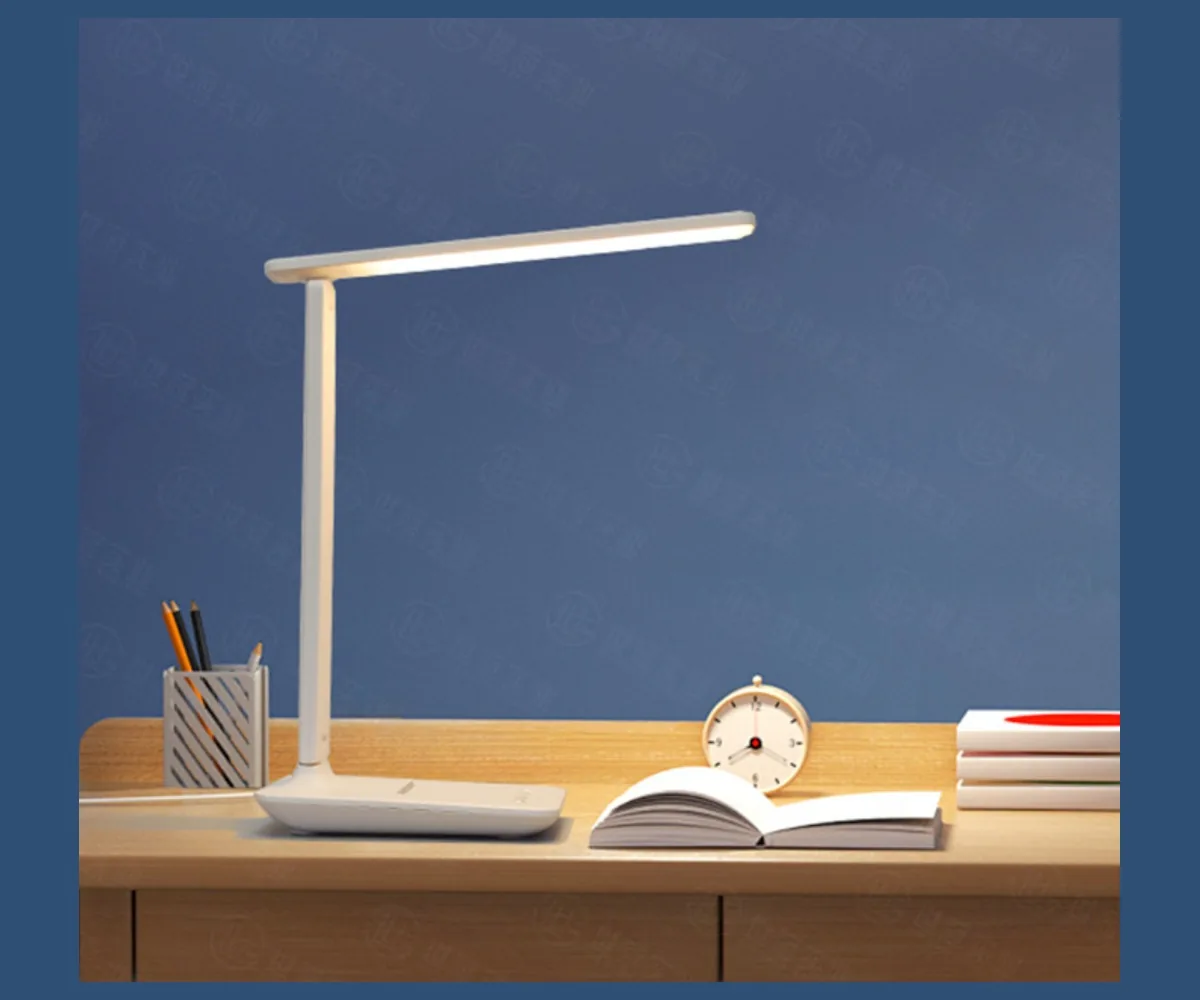
Two monitors can occupy most of a workstation’s rear edge, leaving little room for a lamp base, a monitor-arm clamp and the documents people still need to read. For a bulk buyer, the right desk lamp is the one that fits this complete arrangement—not simply the one with the longest light bar.
This guide compares three RoyeLamp formats for office-equipment distributors, workspace retailers and office-project buyers: a dual-head clamp lamp, an 80 cm wide-bar lamp and a single-head articulated lamp. Use the comparison to choose which samples to evaluate before committing to a wholesale order.
Shortlist a wide bar for a broad, mostly straight task area; compare dual heads when the work area spreads to either side; consider a single articulated head when one document or writing area needs most of the additional light. These are selection hypotheses to check on your actual workstation, not guarantees of coverage.
Compare two ways to light a multi-monitor desk
For a dual-monitor buying brief, the choice is between independently positioned lamp heads and a single wide light bar. Start with the desk width and monitor arrangement rather than selecting on total lumens alone.
- RY229-C: Two adjustable heads and an articulated clamp structure provide a broad-workspace format. The listed functions include selectable CCT, brightness levels, a timer and device-power outputs.
- RY36-C: Its 800 mm horizontal head and desk-clamp format provide a clear wide-desk product proposition. Check desk coverage and the ordered CCT settings on the sample.
Discuss RY229-C, RY36-C with RoyeLamp. Send your monitor widths, desk thickness, mounting position and quantity. Request the current configuration, complete quotation and paid sample arrangements before confirming the bulk order.
1. Buy for the task area around the screens
“Suitable for dual monitors” is not a complete specification. Two small displays on separate stands create a different installation from two large screens on a central arm. A monitor in portrait orientation can also change the available lamp-head position even when the desktop dimensions stay the same.
Start with the area that needs additional illumination: the keyboard, a notebook beside it, printed plans or a document tray. The Canadian Centre for Occupational Health and Safety explains that the monitor is itself a light source; task lighting can illuminate documents without adding excessive light near the screen. The objective is usable desk lighting with manageable reflections, not brighter screens.
Send the supplier one overhead sketch and a side photograph showing:
- The working footprint: desktop width and depth, plus the location of paper, keyboard and other tasks.
- The screen arrangement: monitor sizes, top-edge height above the desk, orientation and any webcam or monitor-mounted accessory.
- The mounting area: available desk edge, thickness, underside obstructions and the position of monitor-arm clamps.
- The operating positions: normal seated use and, where applicable, the desk’s standing position and cable route.
Do not move a monitor into an awkward position just to make a lamp fit. If the available desk edge cannot accept a clamp, remove clamp-mounted lamps from the shortlist or ask about a suitable alternative. A larger clamp opening alone will not solve an obstructed mounting area; our clamp compatibility guide covers that separate fit check.
2. Compare three formats—not three lumen numbers
The models below are starting points from the current RoyeLamp range. Their published specifications describe the offered formats; they do not establish compatibility with every pair of monitors. Product images show the lamp designs, not tested dual-monitor installations.
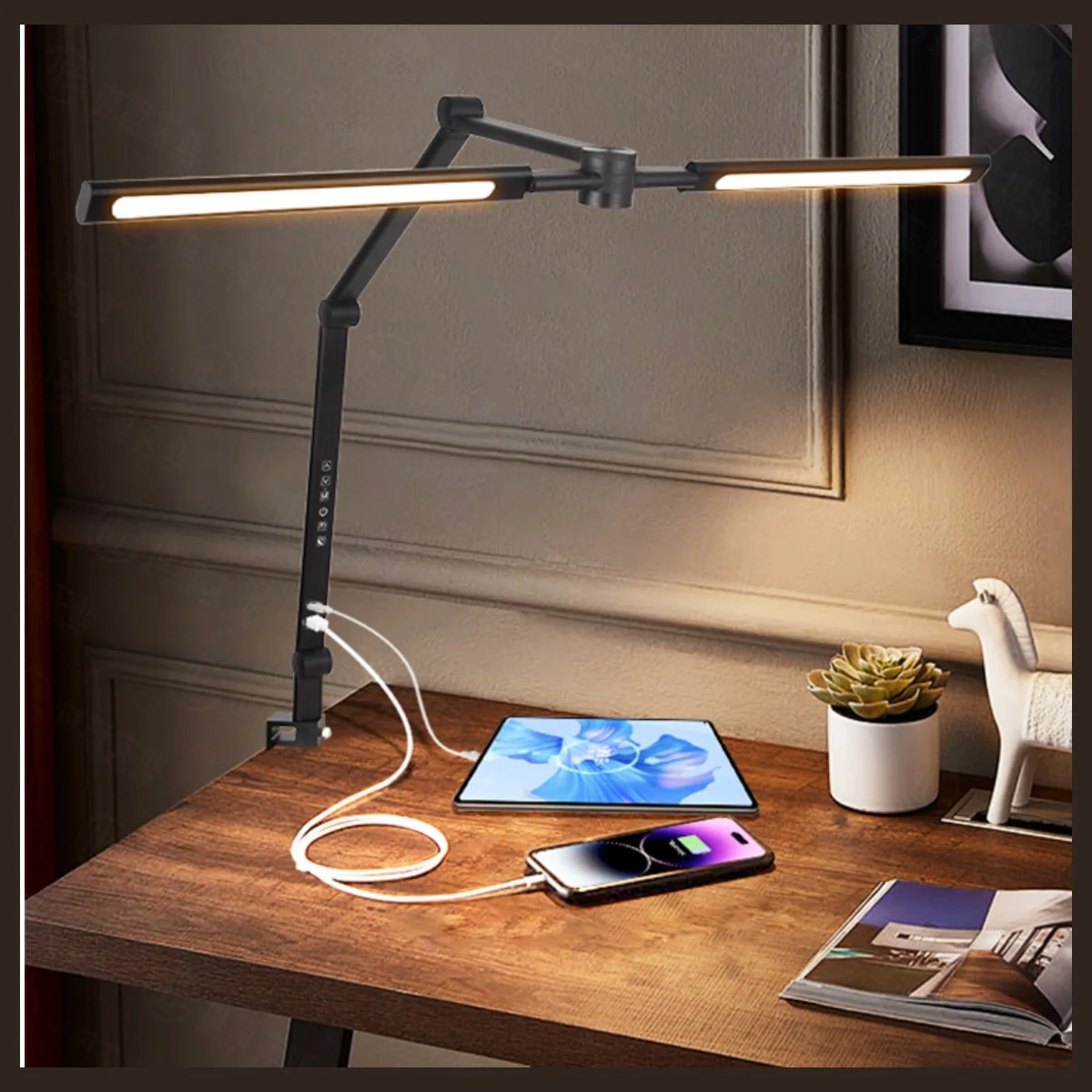
RY229-C: Compare for work extending to both sides
Two long removable heads and articulated arms make this a candidate when the task area spreads beyond the keyboard. The published configuration lists five CCT modes and five brightness levels.
Before choosing: Check the available head angles, usable reach and coverage of both task areas with the screens in place. Two heads do not establish two independently controlled lighting zones.
View RY229-C specifications →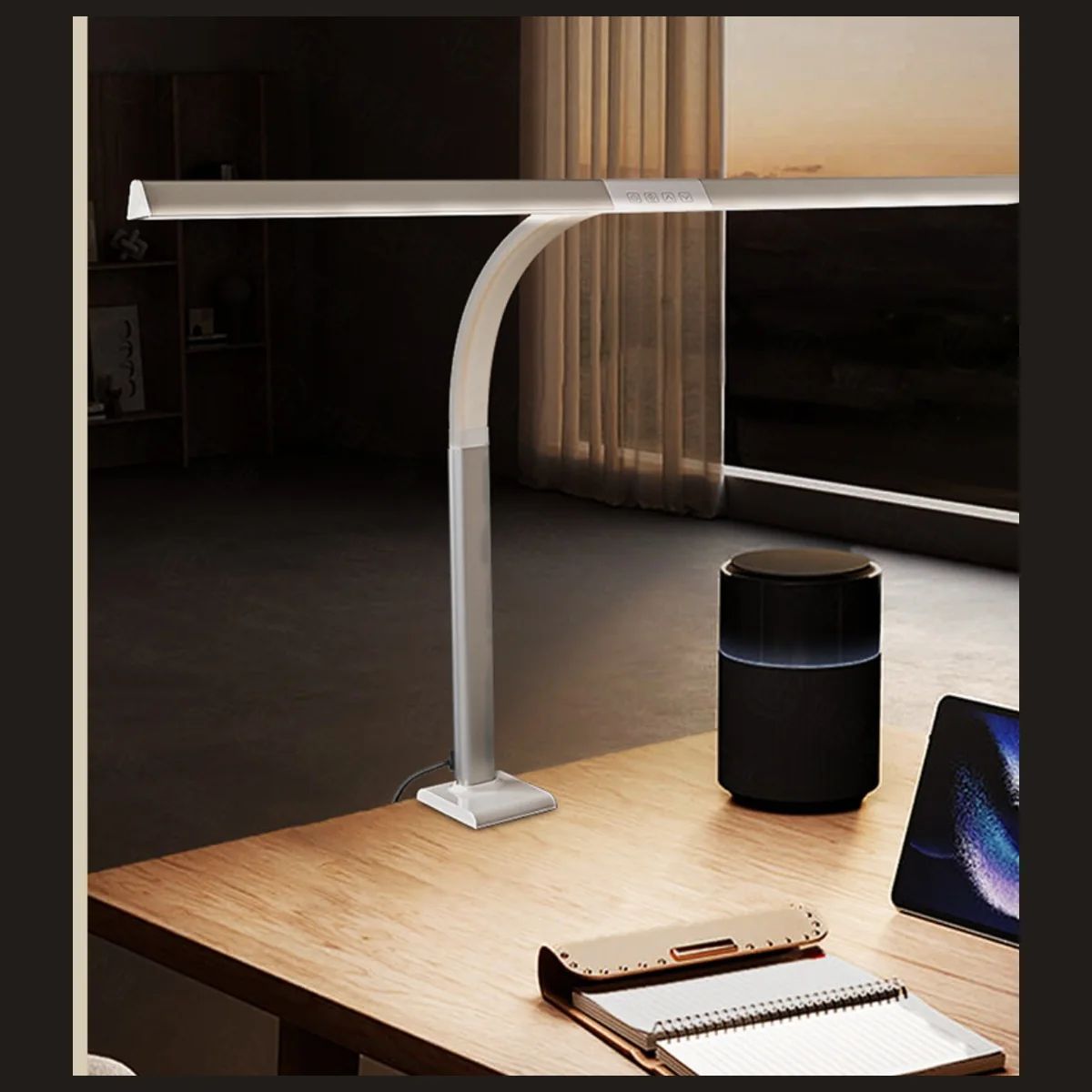
RY36-C: Compare for a broad horizontal task area
The published 800 mm head is a starting point for a wide task strip in front of the displays. The listed controls include four CCT modes, five brightness levels and a 45-minute timer.
Before choosing: Confirm head clearance and access to the controls. The product page flags conflicting CCT information; approve the exact colour-temperature settings on the quotation and sample.
View RY36-C specifications →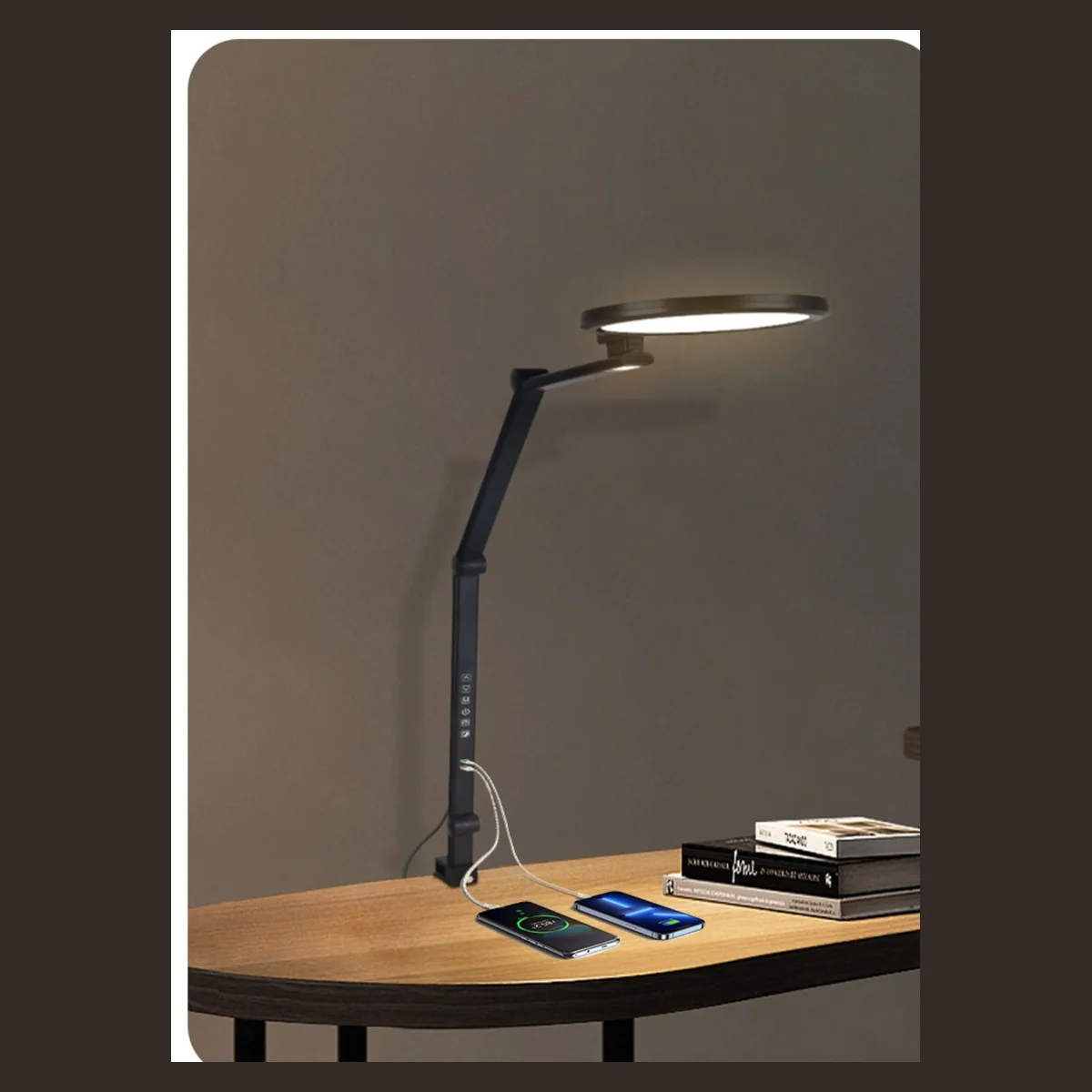
RY229-B: Compare for one main document area
A circular head and four-axis articulated structure offer a different starting point when additional light is mainly needed beside the monitors. The published configuration lists five CCT modes and five brightness levels.
Before choosing: Check useful reach and position holding at the chosen mounting point. Do not assume one focused head will provide the same broad coverage as the two other formats.
View RY229-B specifications →On a phone, swipe within the comparison table.
| Your main purchasing need | First sample to consider | Question that decides the choice |
|---|---|---|
| A broad horizontal task strip across the front of two screens | RY36-C wide bar | Can the 800 mm head reach the required position without blocking accessories or reflecting in either screen? |
| Documents or work areas extending to both sides | RY229-C dual head | Do the available head and arm positions illuminate both task areas in the actual layout? |
| One main writing, reading or inspection area beside the screens | RY229-B single head | Can the articulated arm reach that area while keeping the head out of the normal sight line? |
| No safe, accessible desk edge for a clamp | None of these three until the mounting problem is resolved | Would a desktop-base or another approved mounting format suit the furniture better? |
For a mixed office project, you may need more than one format. Group similar workstations before deciding the model split. For a retail range, describe the intended use clearly: a focused document lamp and a broad desk lamp can serve different customers even if their advertised outputs are similar.
Request paid samples for the layouts you want to compare →
3. Decide which differences matter to your buyer
A wider lamp head is not proof of wider usable coverage
RY229-B and RY229-C both list 1200 lm, yet one uses a circular head and the other two long heads. RY36-C lists 1400 lm and an 800 mm bar. Those figures do not reveal how much light reaches a notebook at the side of a monitor, or whether a screen blocks the intended light path.
Compare samples in the same workstation, with the intended room lighting and repeatable settings. Look at the actual task positions rather than the brightest spot. If you need a supplier measurement report, use the setup controls in our desk lamp coverage guide; this article does not assume a universal desk size or lux requirement.
Head position and control access can outweigh extra features
Check whether the user can operate the controls without reaching awkwardly over the screens, and whether the head stays clear of cameras, shelves and frequently moved monitor arms. A layout that works with the chair centred may behave differently when the user turns toward the second display.
Observe both direct visibility of the light source and reflections in each screen from normal working positions. CCOHS’s lighting survey guidance distinguishes direct and reflected glare and recommends evaluating the task from the user’s normal position. A “wide coverage” description is not evidence that a particular installation is glare-free.
Device outputs are optional utility, not the reason to ignore fit
RY229-C lists device-power outputs including 18W PD; RY229-B lists USB-A and Type-C outputs. Do not infer that either replaces a laptop dock or supports every device. Confirm the ordered power supply, output specifications, cables and simultaneous-use requirements. For projects already equipped with powered desks, those functions may add less value than accessible lighting controls.
Similarly, a timer can be useful for some routines but needs review before standardizing a lamp across office desks. Establish how it is activated and what happens after a power interruption. Ask for the actual control behaviour instead of interpreting a feature icon.
4. Test one representative workstation before scaling the order
A sample sitting on an empty table cannot answer a dual-monitor installation question. Assemble the intended screens, monitor arm, keyboard and document area first. For a mixed furniture estate, select examples of each materially different layout, including restricted rear-edge access where it occurs.
Use a short review record rather than an informal “looks bright” decision:
- Fit and clearance: record the mounting point, clamp contact, head position and clearance to both screens. Follow the mounting instructions and furniture limitations.
- Task visibility: compare the paper and keyboard positions under the intended room lighting. Record settings and any measurement method used.
- Daily operation: check control access, adjustment, position holding and reflections from normal user positions. On height-adjustable desks, check cable movement through the intended range.
- Ordered configuration: record the lamp revision, finish, power supply, plug, accessories and relevant documents. Keep photographs of the accepted setup.
Define the acceptance criteria with the project owner before ordering the production quantity. One physical trial can establish that a particular arrangement is workable; it cannot prove long-term durability, universal monitor compatibility or a medical benefit.
Imagine an office with a wide central keyboard area at most desks, but drawing sheets placed to one side at a smaller group of stations. Compare a wide-bar sample for the first layout and an articulated sample for the second. Quote the two approved configurations separately instead of selecting the same lamp for every desk merely to simplify the purchase order.
For distributors, the same process creates useful sales material: a photographed setup, the conditions under which it was checked and clear mounting limitations. That is more informative than promising that a lamp “fits all dual-monitor desks.”
5. Turn the shortlist into a quotation the supplier can answer
Once the layout is defined, a quotation request can be short and specific. Include the candidate model, quantity by configuration, destination country, power-kit requirements and the desk sketch. If you have not chosen between two models, ask for separate quotations and a sample comparison plan.
- Without a custom logo: MOQ 10 units.
- With your logo: MOQ 100 units.
- Evaluation: paid samples available.
- Lead time: 15–30 days, subject to confirmation for your order.
These are the published starting terms, checked October 19, 2026. Confirm how minimums apply to your selected model, colour and order mix. Custom packaging, special configurations and sample timing require separate confirmation; production lead time is not a delivered-to-site promise. See the current catalogue and ordering information.
Ask the supplier to identify the included power supply, plug, carton quantities, package dimensions, sample cost and delivery terms. For an office rollout, distinguish the required arrival date from the production completion date. Request model-specific destination-market documentation; a specification table alone does not establish regulatory compliance.
Copy this enquiry brief
We are sourcing desk lamps for dual-monitor workstations in [country]. Please quote [RY229-C / RY36-C / RY229-B] for [quantity] units and advise on paid samples. Our desks measure [width × depth], with [screen arrangement] and [mounting clearance]. The main lighting task is [keyboard / documents / drawing area]. We require [plug and power kit], [colour], [packaging] and [documents]. Attached are the desk sketch and mounting photographs. Please state the included configuration, MOQ application, sample arrangements, production lead time and shipping terms. Our required arrival date is [date].
Get a shortlist for your workstation project
Send RoyeLamp your desk layout, estimated quantity and destination. If you are still choosing between dual-head, wide-bar and articulated formats, name the two you want to compare and ask for their quotation and paid-sample options.
Model details and ordering terms checked October 19, 2026 against the linked RoyeLamp pages. Format recommendations are editorial starting points for sample selection, not comparative laboratory results. Product illustrations do not demonstrate dual-monitor coverage. The linked CCOHS material supports the general lighting principles; no eye-health, productivity or universal compatibility claim is made.
