

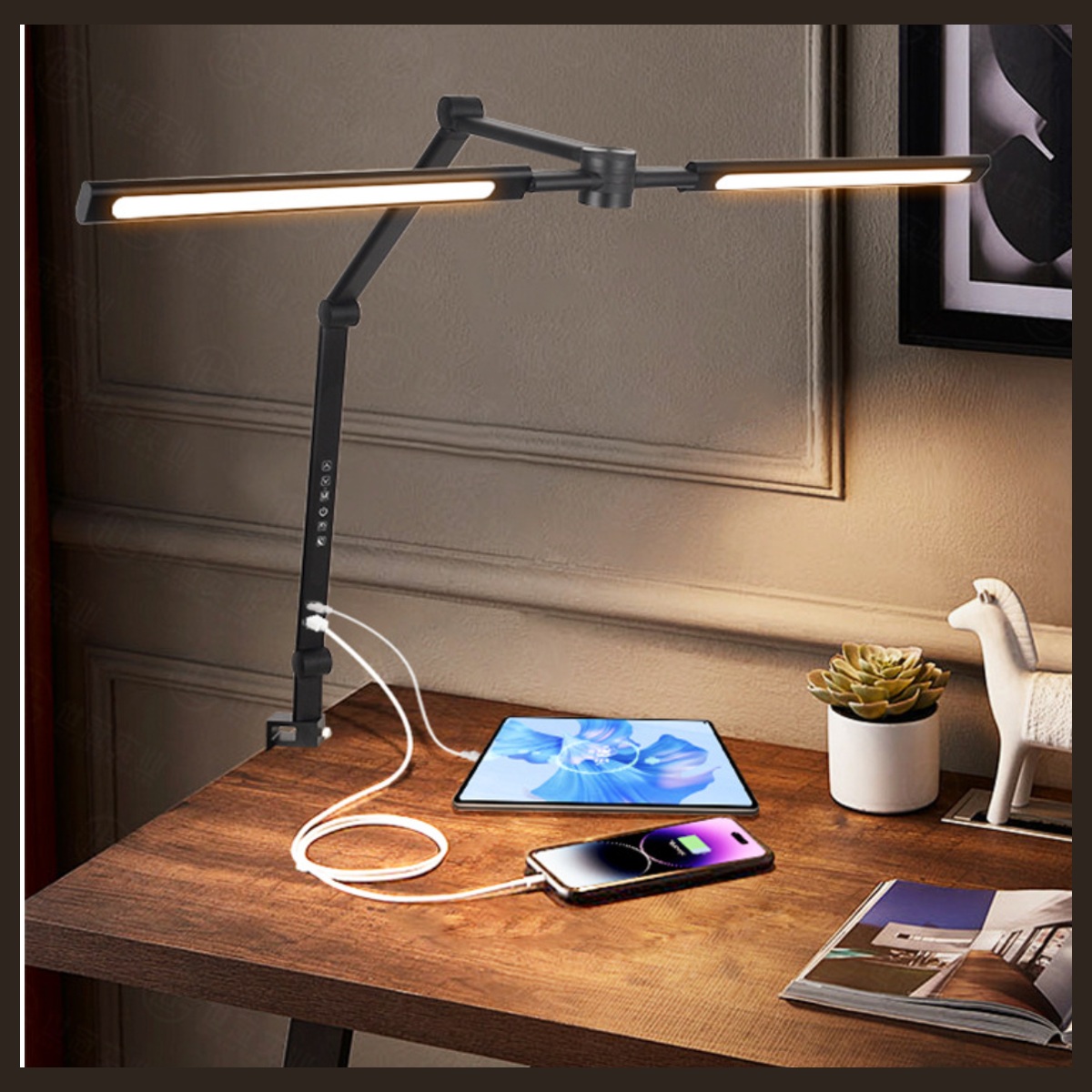
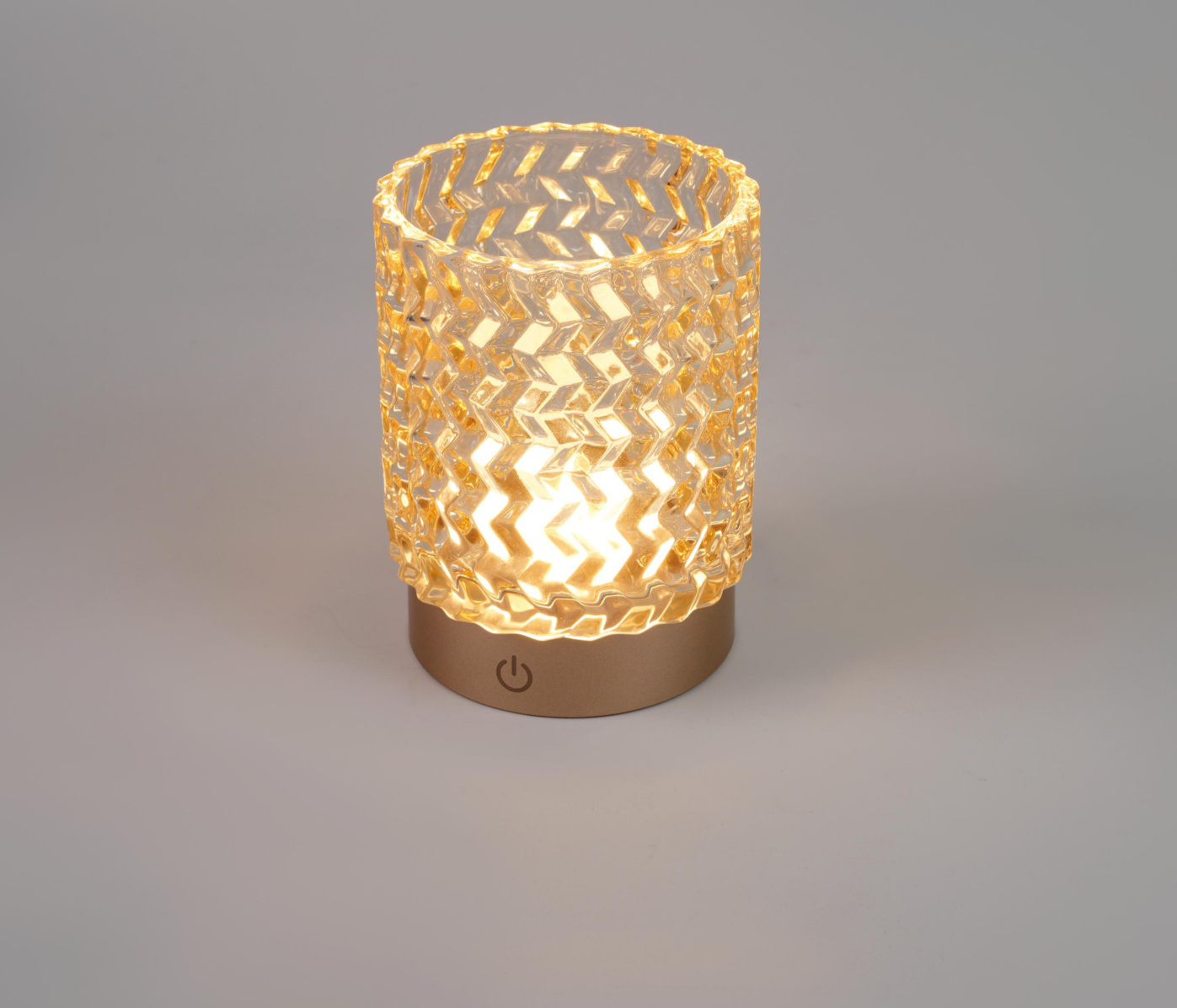
A monitor light bar and a desk lamp can solve different problems on the same workstation. A light bar uses space above the display; a movable desk lamp lets the user reposition light around documents, a notebook or a changing task. For a wholesale buyer, the better choice depends on the work surface and the equipment customers already own.
This guide helps computer-accessory distributors, office-supply retailers and workplace purchasing teams compare the two formats. It uses RoyeLamp’s T35 monitor light bar and RY26-A foldable desk lamp to turn that comparison into a practical shortlist, sample review and quotation request.
Start with a monitor light bar when the task stays near the display and a compatible top-mounted installation can free the desk from a lamp base. Start with an adjustable desk lamp when the work moves around the desk, the user works without a suitable monitor, or the top edge is already occupied. Approve the actual mounting, coverage and controls before choosing the retail configuration.
Compare the formats against the customer’s workspace
Ask customers or your sales team to describe one typical setup. “A small desk with a monitor, webcam and a notebook to the left” is more useful than “a home-office lamp.” It identifies both the mounting constraint and the area that needs light.
| Buying factor | Monitor light bar | Adjustable desk lamp |
|---|---|---|
| Space used | Uses the display’s top area; assess mount and rear clearance | A base occupies desktop space; a clamp version needs a suitable desk edge |
| Task location | A candidate for a defined keyboard and document zone near the monitor | Can be moved or adjusted towards work on different parts of the desk |
| Equipment dependency | Needs a compatible monitor profile and mounting arrangement | A freestanding model can be used without a monitor |
| Webcam arrangement | May share space with a camera, privacy shutter or top-edge controls | Leaves the monitor’s top edge available; check lamp placement in the camera view |
| Retail qualification | Publish a verified fit list or clear fit requirements | State base size, usable reach, movement and supplied power requirements |
| Sample priority | Mount fit, screen reflections and illumination at the actual work area | Positioning, base stability, hinge retention and illumination at the actual work area |
Neither format establishes lighting quality by itself. Review the installed sample with the intended display and work materials. A narrow bar is not automatically free of screen reflections, and a larger lamp is not automatically better at lighting the required part of the desk.
T35: a monitor-mounted option for accessory ranges
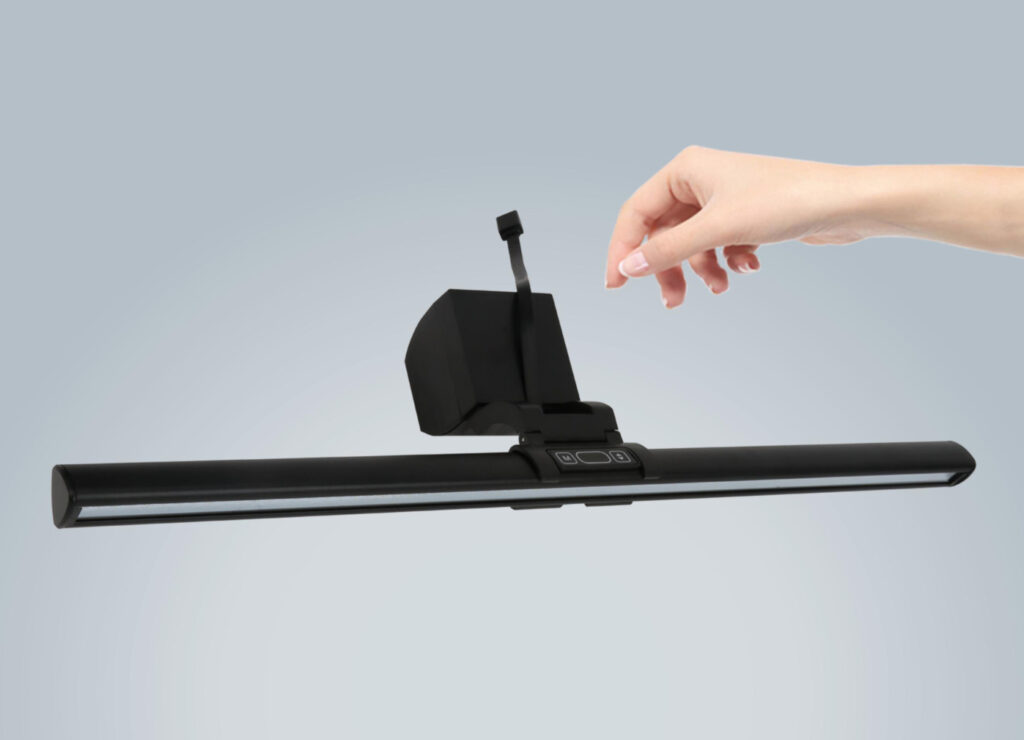
Keep the lamp base off the work surface
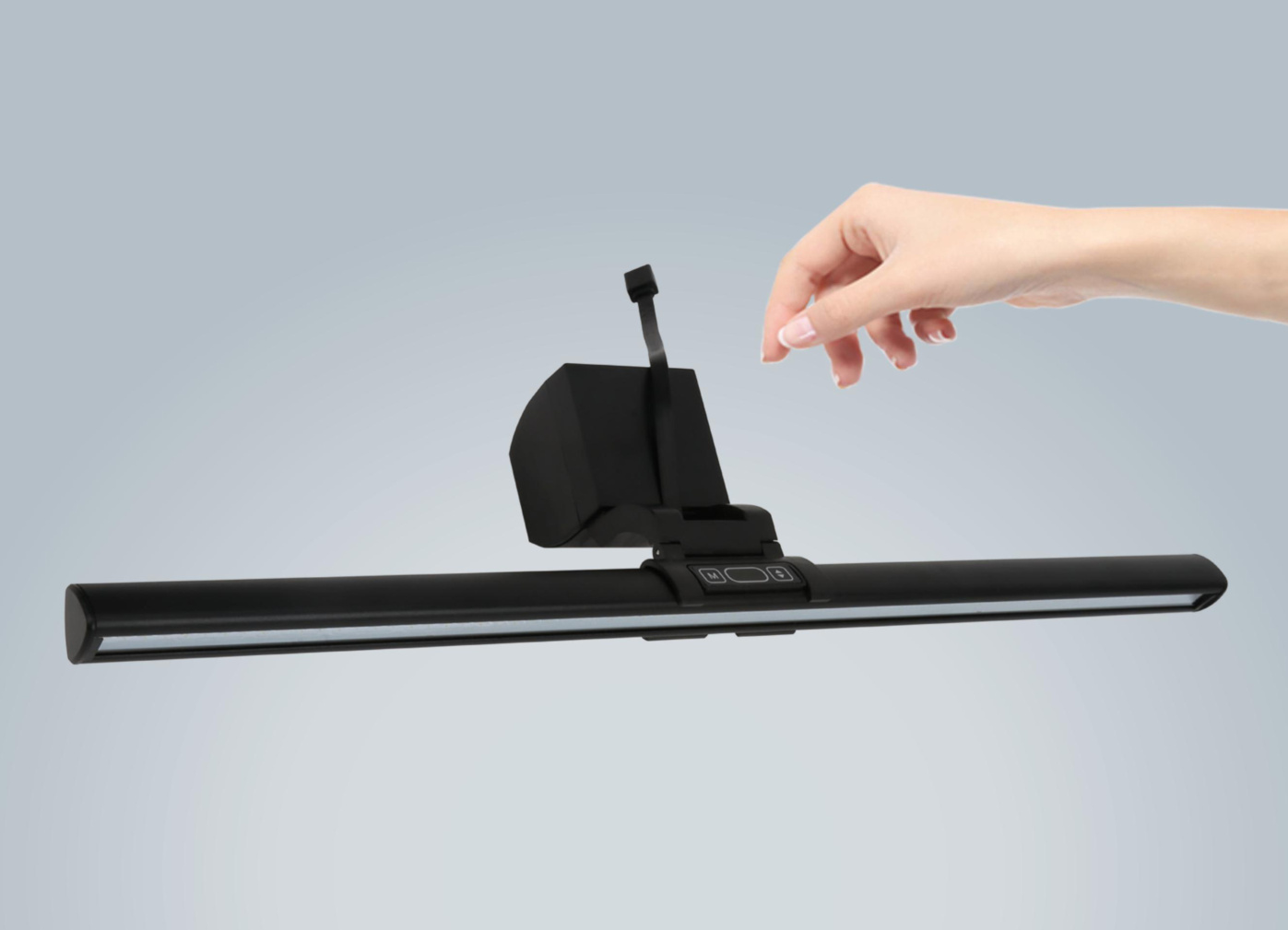
T35 is a horizontal light bar with a central mounting assembly. Its catalogue lists 5W light-source power, 340 lm output and five colour-temperature settings: 3000K, 3800K, 4500K, 5000K and 6000K.
The catalogue also indicates gesture control. This gives an accessory retailer a function to demonstrate alongside the mounting format; confirm exactly which actions the sensor controls and how it responds on the sample.
For a distributor building a monitor-accessory range, T35 offers a specific starting point for fit testing. Send the display model, top-edge dimensions, rear-profile photographs and webcam arrangement with your enquiry. Its published catalogue does not define a universal monitor-thickness range or a desk-level illuminance map.
Ask about a paid T35 sample for your monitor configuration →
RY26-A: an adjustable option for mixed desk tasks
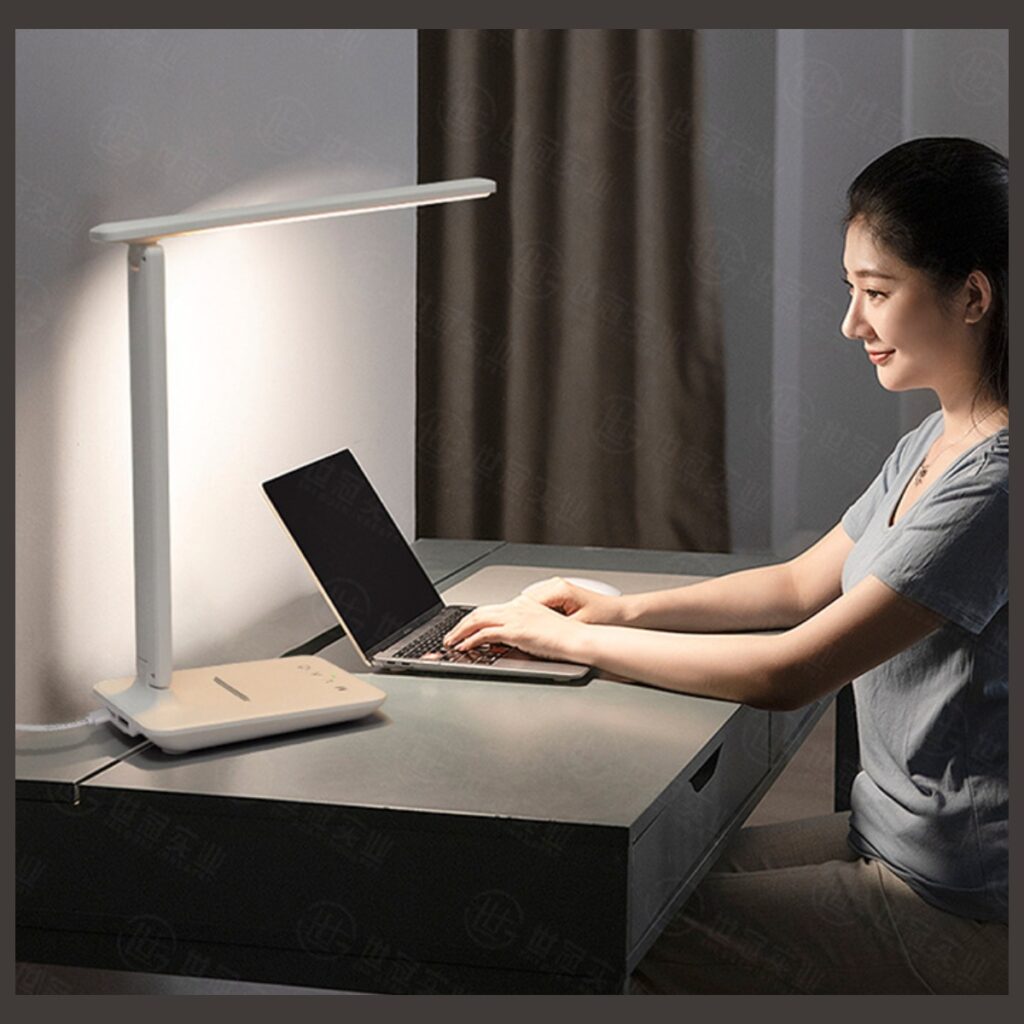
Position the light around the work
RY26-A combines a freestanding base with three-axis folding and touch controls. Its product page lists five colour-temperature modes and five brightness levels, plus an integrated phone holder.
This format is worth evaluating for customers who alternate between screen work and paper, move a notebook to either side, or need a lamp independent of a monitor. Check the base footprint and the head’s usable reach in that arrangement.
The published RY26-A specification also lists a 5V/1A USB output for cable charging. If this function is part of your offer, confirm the supported use, supplied input source and behaviour when the lamp and output are used together. The stated configuration is not a wireless phone-charging lamp.
Keeping a monitor-mounted option and a freestanding option in a shortlist lets a retailer address two different buying situations. Choose the first order mix from the customer setups you can demonstrate and support.
Check monitor fit before comparing lighting modes
Monitor size in inches does not describe its top-edge thickness, rear housing or mounting contact points. Two displays with the same diagonal size may need different fit assessments.
Record the model, flat or curved shape, top-edge dimensions and rear housing.
Include webcam, privacy shutter, controls, vents and cable positions in photographs.
Review monitor tilt and height changes with the lamp installed as instructed.
Follow the lamp and display manufacturers’ installation instructions. Check the intended contact areas and confirm that the mount does not press on the active display or obstruct a required function. Do not force an unapproved fit or add improvised supports to make a sample appear compatible.
For a curved display, assess both the mounting arrangement and the light path at the chosen angle. Approval on one curved monitor should identify that exact model and configuration. It does not justify a claim that the bar works with every curvature.
If the intended workstation uses two monitors, include both in the sample setup. Check where the primary reading and writing areas sit relative to the displays. Our dual-monitor desk lamp buying guide covers the broader workstation layout review.
Compare illumination on the same desk
Put the samples on the same workstation with the same room lighting, screen position and work materials. Mark the keyboard, notebook and document positions so the second sample is judged against the same task area.
- Use the normal seated viewpoint. Review the screen and light source from where the user actually sits. Repeat after adjusting the display to its ordinary working angles.
- Check reflections with representative content. Use a dark screen view as one check, then open the applications the customer normally uses. Note visible reflections and any adjustment needed to reduce them.
- Review the whole task area. Read an open notebook and a document placed to either side of the keyboard. Look for dark areas, reflections on glossy paper and shadows from the user’s hands.
- Record the approved position and setting. Photograph the setup and note the brightness, colour mode and lamp orientation. A claim about coverage needs a repeatable arrangement.
When the project specifies illuminance, request measurements at named points on the desk, with the mounting height, settings and ambient conditions recorded. T35’s listed 340 lm is light output; it is not a measured lux value at the keyboard. RY26-A’s listed output likewise cannot establish that it is better for a given desk without a comparable setup.
For the measurement brief, see our guide to desk-lamp illuminance and coverage. Keep marketing statements tied to the conditions actually evaluated.
Approve controls and the complete power set
A feature is useful when customers understand and can operate it in their normal setup. For T35, ask the supplier to identify the gesture functions, activation distance and operating sequence. Test intended gestures as well as ordinary movements near the webcam and screen. Record any unintended operation and the correct method to explain in the instructions.
For RY26-A, check the touch controls, brightness sequence and head adjustment from the seated position. Move the head between the intended task positions and confirm that it holds its position through the agreed sample review.
T35 lists 5V input. Ask for the required supply current, connector type, cable length and included power accessories. For either model, confirm the approved power source instead of assuming every monitor USB port can supply the complete configuration. If a display or hub will provide power, test normal operation, sleep and wake behaviour in that setup.
Finish the review by having a colleague follow the proposed instructions without coaching. Record where the instructions need clearer diagrams or wording. That exercise helps prepare a product your retail or support team can explain consistently.
Build a wholesale offer around verified use cases
Use a clear sales proposition for each approved model. A computer-accessory retailer might present T35 with a verified monitor setup and its matching power set. An office-supply buyer might present RY26-A beside a laptop and a paper-work area. These are proposed merchandising approaches, not claims that either sample has passed your own evaluation.
For a first order, separate demonstration units from saleable stock, and agree any service reserve. If you need multiple finishes, plugs or packaging versions, state each quantity. Keep the approved mounting or positioning instructions with the SKU record so later orders do not silently change the customer experience.
RoyeLamp’s current pages list MOQ 10 without a custom logo and 100 with your logo, with paid samples available. They list a 15–30 day order lead time, subject to configuration and schedule confirmation; sample timing and custom packaging are quoted separately. Request a complete quote with the lamp, cables, power accessories, artwork and packaging identified.
Use the same quantities, destination, power set, branding and packaging requirements. List setup and sample charges separately, and request individual-box and master-carton dimensions and weights. Compare the cost of the complete approved set rather than an accessory-free lamp price.
Send a monitor-lighting enquiry with the right details
Copy this buying brief
We are comparing T35 monitor light bars and RY26-A desk lamps for [computer-accessory retail / office supplies / workplace deployment] in [country]. Please recommend a sample plan for the attached workstation photographs.
- Equipment: monitor model, top and rear photographs, webcam position and any display-arm arrangement.
- Task area: desk dimensions and the keyboard, notebook and document positions to illuminate.
- First order: quantity by model and finish, with [unbranded / logo / custom packaging] requirements.
- Power: intended source, connector and cable requirements; please identify included accessories.
- Evidence: mounting or positioning limits, control sequence, coverage information and model-specific documents.
- Quotation: paid samples, configuration-specific MOQ, setup charges, carton data, production timing and shipping basis.
Common buying questions
Is a monitor light bar better than a desk lamp?
It can be a better fit for a stable monitor-based work area when installation and coverage are suitable. An adjustable desk lamp gives buyers another option for changing task positions or workstations without a compatible display. Compare both against the actual layout.
Will T35 fit a curved monitor?
The published catalogue does not provide a universal compatibility range. Send the exact display model and profile photographs, then approve the mounting and lighting result on that setup.
Does a monitor light bar prevent all screen glare?
No format alone establishes that result. Screen finish, lamp position and light distribution affect the installed result. Check the proposed configuration and avoid unsupported blanket claims.
Can we request samples before a branded order?
Yes. RoyeLamp offers paid samples. Confirm the model, destination and configuration, then agree the logo and packaging approval steps for the proposed bulk order.
Build the right monitor-lighting shortlist
Send RoyeLamp your workstation photographs, estimated quantity and destination. We can review T35 and RY26-A against your requirements and confirm quotation details and paid-sample arrangements. In the form’s product/model field, enter T35, RY26-A or both; include your quantity and destination in the message.
Written by Helen. Product information and listed order terms checked against the linked RoyeLamp pages on November 25, 2026. Final specifications follow the approved sample and written quotation.
